

User Management
Creating a New User in the Admin Portal
New user creation is managed by your organization’s Org User Managers/Org owners. If you need access, please reach out to one of your Admins. Once a new user is added and access is authorized, they will be able to log in and use Studio.Steps to Add a New User
- Log in to the Admin Portal.
- Navigate to the Users tab at the top of the screen.
-
Click New (upper right corner). The Create a New User interface opens.

- In the Email address field, enter the user’s email address.
- Copy the portion before the @ symbol and paste it into the User Name field.
- Enter the user’s Given Name and Family Name in the respective fields.
- You may either complete the remaining fields as needed, or scroll down and click Create.
Next Step: The user still needs role assignments.
Assigning Roles to Users in the Admin Portal
Authorization access is managed by your organization’s Org Owners/Org User Managers. Every user in the system must have at least one role assigned to access Workbench, Studio, or the Admin Portal. Roles define the level of access and permissions a user has:
- Org Owner – Users who have the highest level of permissions over all administrative tasks in the organization, such as adding other users, managing SSO, and managing API keys.
- Admin – Users with permission to manage custom phrases in Studio.
- Agent – Users with permission to use translations in Workbench.
Assigning the Org Owner and Org User Manager Role
- Log in to the Admin Portal.
- Navigate to the Organization tab (top left).
-
In the top right corner, click the plus (+) icon below your user icon to open the Add a Manager interface.
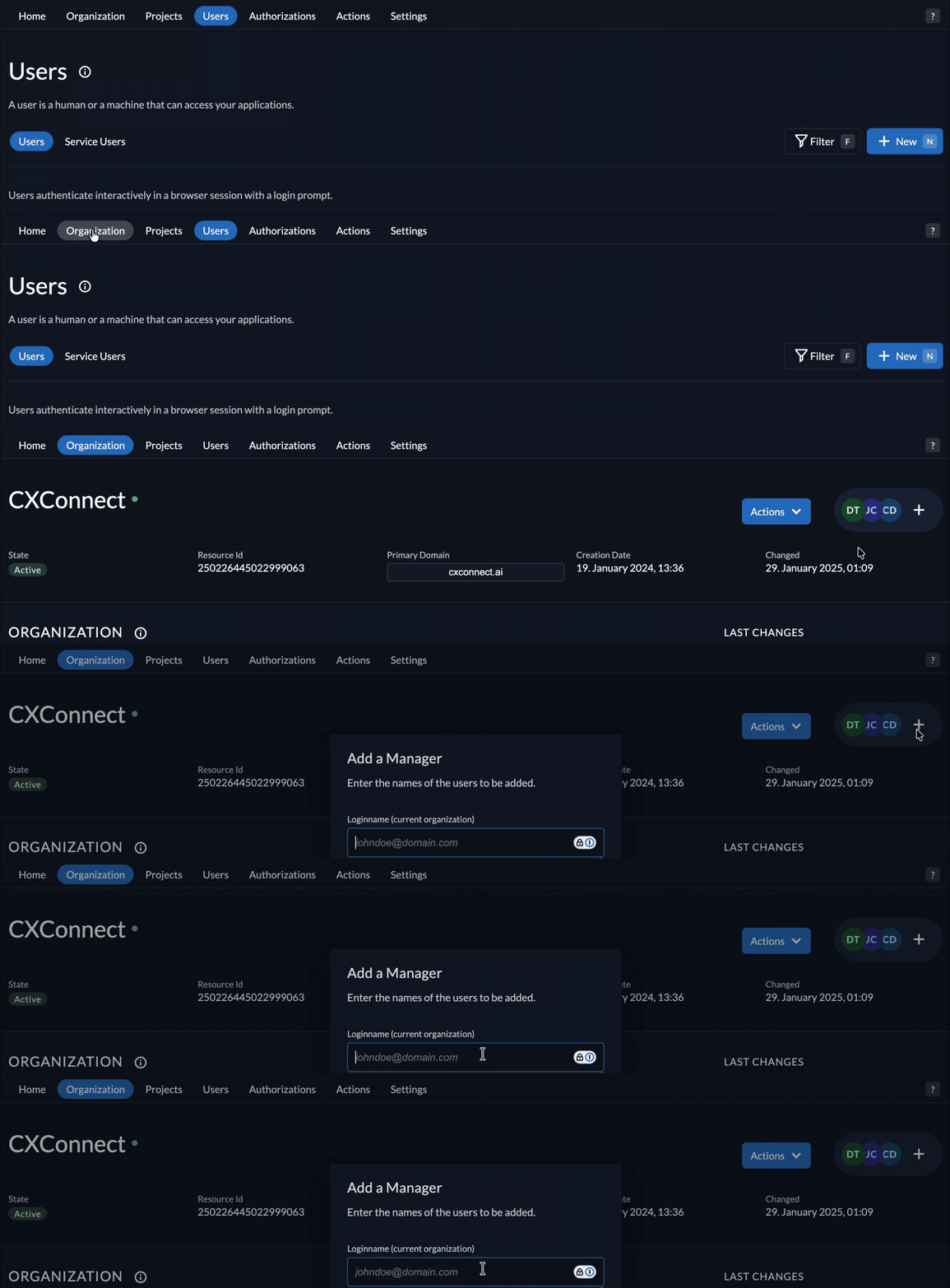
- Select/Enter the user you want to grant Org Owner/Org User Manager permissions.
- Check the Org Owner or Org User Manager box.
- Click Add at the bottom.
Assigning Admin and Agent Roles
- In the Admin Portal, go to the Users tab (top bar).
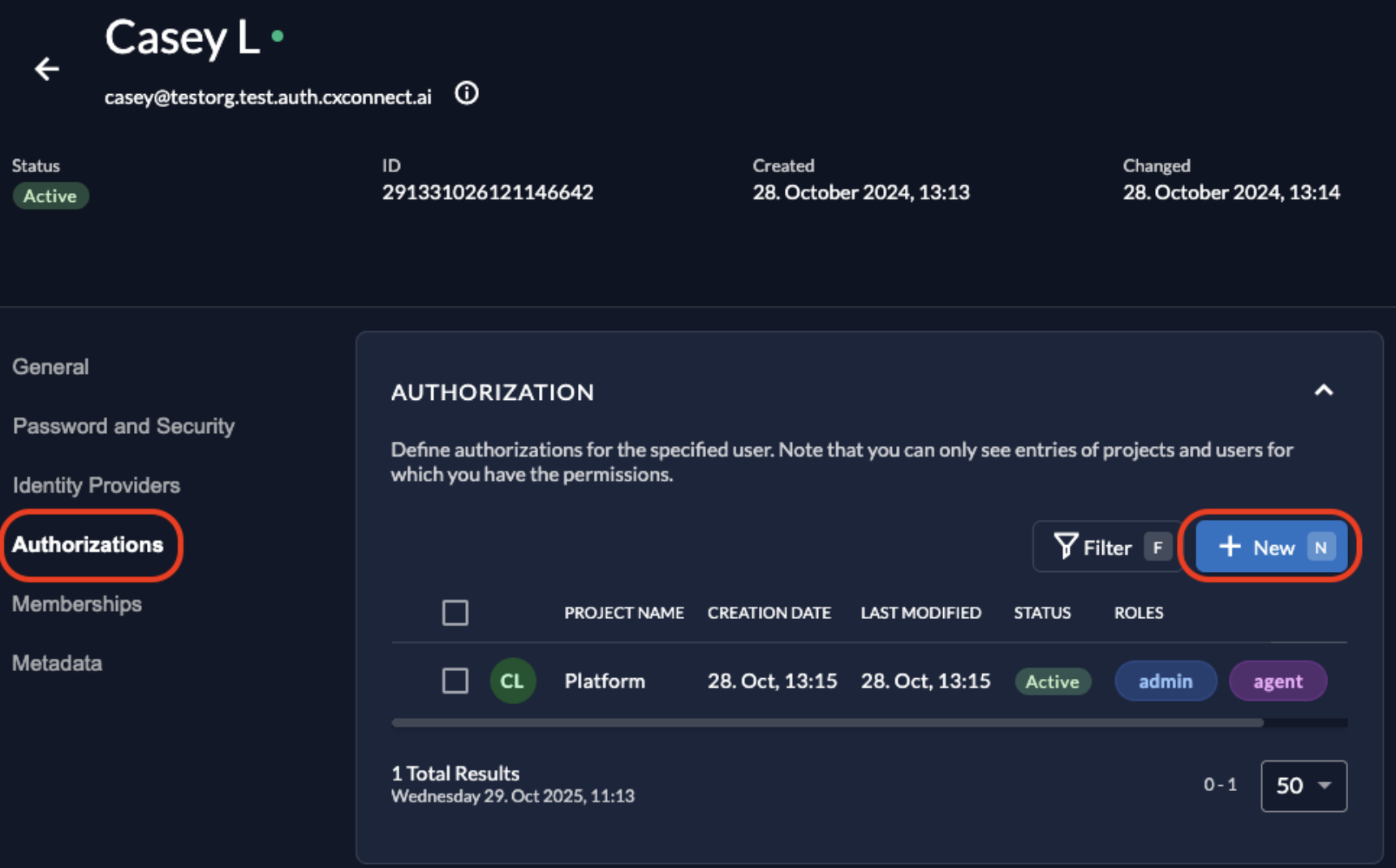
- Click the display name of the user you want to update.
- From the left menu, select Authorizations.
-
In the Authorizations interface, click New.
-
Scroll to Search for a Project, and set the Project Name field to Platform.
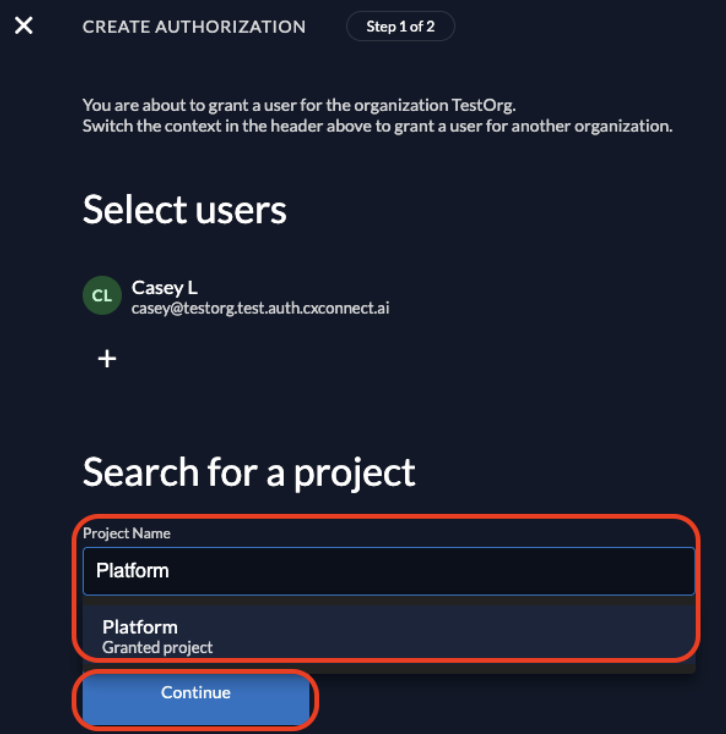
- Click Continue.
-
Assign one or both roles:
- Admin – grants access to manage custom phrases in Studio.
- Agent – grants access to translations in Workbench.
- Save your changes.